

Frequently asked questions
Everything about setup, payments and your account in one place.
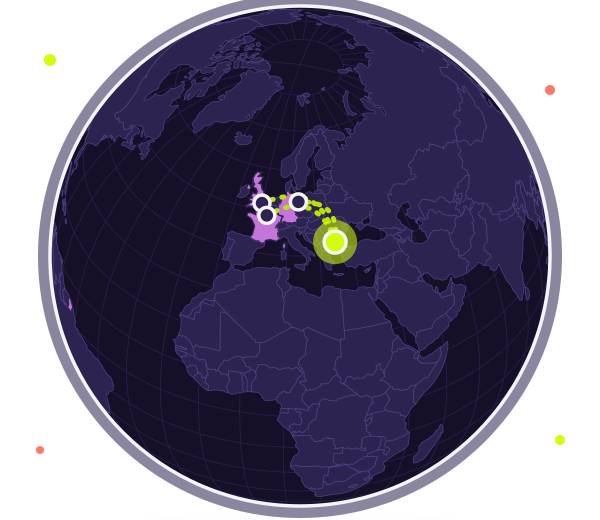
Why do I need a Bulgarian IP address?
Some banks, government portals and platforms restrict access by country. With a Bulgarian IP address they see your connection as coming from Bulgaria, even when you are abroad.
What does the subscription include?
Access to our Bulgarian servers with WireGuard and OpenVPN, a number of devices depending on the plan, QR code configurations and support from your account. The exact limits are shown on each plan.
How do I connect for the first time?
Create an account, choose a plan and add a device in the “Devices” section. Download the official WireGuard or OpenVPN app, scan the QR code or load the file, and press “Connect”.
Which protocols do you support?
WireGuard and OpenVPN. WireGuard is faster and lighter, while OpenVPN is more compatible with older devices and restricted networks.
Can I choose the IP address?
If your plan allows it, when you add a device you choose which of our Bulgarian IP addresses it exits through. Otherwise the system picks the least loaded one for you.
Do you limit the speed?
We do not deliberately limit speed. The real speed depends on your internet connection, the distance to the server and its load.
Do you keep logs?
Details of the data we collect and for how long are in the Logs policy and the Privacy Policy.
How do I cancel my subscription?
The subscription does not renew automatically, so there is nothing to cancel: when the paid period ends, access simply stops. If you also want to delete your data, you can delete your account in the “Profile” section.
What happens when my subscription expires?
Your devices are switched off and stop working. The configurations stay in your account and are switched on again as soon as you renew.
Do you guarantee access to every service?
No. Some providers block known VPN addresses, so we cannot promise access to every platform.
Is it legal to use a VPN in Bulgaria?
Using a VPN is not prohibited in Bulgaria. Follow the law and the rules of the sites you visit, because a VPN does not excuse breaking them.
Does a VPN make me completely anonymous?
No. A VPN hides your traffic from the local network and shows the address of our server. Sites you sign in to still recognise your account.
Does a VPN slow the connection down?
A little, because traffic goes through a server. With WireGuard the difference is usually hard to notice. Speed depends on your connection and the distance to the server.
Does a VPN replace antivirus software?
No. A VPN encrypts the connection, but it does not remove viruses or stop phishing sites. Keep using antivirus protection and keep your devices updated.
It does not connect. What should I do?
Check three things: your plan is valid, the device is added in your account and you picked the right protocol. If WireGuard does not work, add a device with OpenVPN, because some networks block WireGuard. If the device was set up long ago, press “New keys” under “Devices” and load the configuration again.
How do I add a second device?
Under “Devices” press “Add”, choose a protocol and a name. The number of devices depends on your plan. When you reach the limit, delete a device you no longer use or move to a larger plan.
Where are the configurations I downloaded?
Under “Devices” you can view the configuration at any time, download it again or show it as a QR code. The oldest devices may have no stored configuration. For those, press “New keys”.
Which payment methods are available?
PayPal and bank card through PayPal. Payment is prepaid and one-off, with no automatic renewal. You see invoices and the end date under “Payments”.
What happens when I change plan?
The new plan applies immediately, and the number of devices and limits update automatically. The end date is counted from the day of the change, with no double days.
The connection drops on mobile data or when Wi-Fi changes.
Use WireGuard, which copes better with network changes, and allow the app to run in the background. If it continues, try OpenVPN.
What if none of this helps?
Only then send a request from the “Support” section of your account. Describe the device, the protocol and what you see.
Ready to start?
Create an account, choose a plan and connect in a few minutes.